File Compactor Storage Solutions for Offices — How 5 Different Industries Actually Set Up Their Systems
Every manufacturer in India will tell you that file compactors are “used in banks, hospitals, government offices, and corporates.” What none of them tell you is that a bank’s compactor setup looks nothing like a hospital’s — and a law firm’s looks nothing like either.
The difference between a file compactor that saves your team 30 minutes every day and one that becomes a disorganised metal box within six months comes down to one thing: how you configure it for your specific type of office. The shelf heights, the filing method, the locking setup, the bay allocation — all of it changes depending on what kind of documents you store, how often you access them, and who needs to reach them.
This guide shows you exactly how five different types of Indian offices set up their file compactor storage systems — with specific configurations based on real installations. Whether you are a bank branch manager, a hospital administrator, an HR head, a law firm partner, or a government registry officer, you will find a setup that matches your workflow.
Bank Branch Record Room — Audit-Ready in 30 Minutes
A bank branch generates thousands of documents every year — KYC forms, account opening kits, fixed deposit certificates, loan files, demand drafts, and correspondence. Under RBI’s Master Direction on KYC, these records must be retained for a minimum of 5 years and must be retrievable within 30 minutes during concurrent audits.
Here is how a typical bank branch record room is configured with a file compactor:
Bay allocation: A standard bank branch with 3 to 5 years of accumulated records typically requires 8 to 12 bays. The first 2 bays are allocated to current-year files (highest access frequency), the middle bays hold previous years sorted chronologically, and the last 2 bays store older archives approaching the 5-year retention limit.
Filing method: Records are sorted by account number range within each bay. Bay labels show the account number range (e.g., “Accounts 10001–15000”) and the year. This eliminates the need for an index register — any staff member can locate a file by knowing the account number.
Shelf configuration: Standard A4 file folders require 280 mm shelf height. Box files used for loan documentation need 320 mm. The top shelf is reserved for registers and ledgers, which are taller but accessed less frequently. Adjustable shelving allows this mix within the same bay.
Locking: Central locking is essential — KYC records contain Aadhaar numbers, PAN details, and financial information. A single key-holder (typically the branch manager or records officer) controls end-of-day lockdown. During working hours, individual bay locks allow controlled access to specific account ranges without exposing the entire record room.
Audit-access setup: One bay at the front of the compactor is designated as the “audit bay” — a clear workspace where auditors can review files without removing them from the record room. This prevents files from being carried to desks and potentially misfiled on return.
Hospital Medical Records Department — Patient Files by MRD Number
A hospital’s Medical Records Department (MRD) handles some of the most diverse document types of any office environment. Patient files vary dramatically in thickness — a routine OPD visit generates 4 to 5 pages, while a surgical case with imaging, pathology reports, and discharge summaries can run to 80+ pages in a single file.
Bay allocation: A 200-bed hospital typically requires 14 to 20 bays. Bays are divided by department rather than chronology — OPD records in the first section, IPD (in-patient) records in the middle, and speciality departments (radiology, pathology, cardiology) in dedicated bays at the end.
Filing method: The universal standard in Indian hospitals is filing by MRD number — the unique number assigned to each patient at registration. Files are sorted in ascending MRD number order within each department section. Colour-coded folder spines indicate the department (blue for OPD, red for IPD, green for speciality) for visual identification without pulling the file.
Shelf configuration: This is where hospitals differ most from other offices. Standard patient files need 250 mm shelf height, but imaging envelopes (X-rays, CT scans stored physically) need 380 mm or more. A well-configured hospital compactor has mixed shelf heights — shorter shelves in the upper section for thin OPD files and taller shelves at mid-height for bulky imaging and surgical files, which are also heavier and easier to handle at waist level.
Locking: Department-level compartment locks are critical. The radiology department should not have access to psychiatric records, and the billing team should not have access to clinical notes. Individual compartment locks allow each department head to control access to their section independently while the MRD in-charge holds the central master key.
Special consideration — active vs discharged: Active in-patient files are kept in a separate open-shelf section near the nurses’ station for hourly access. Only discharged patient files move into the compactor for long-term storage. This separation prevents high-frequency active files from slowing down the compactor workflow.
Law Firm Document Vault — Case Files, Briefs, and Reference Volumes
Law firms store three fundamentally different types of documents: active case files (accessed daily or weekly), closed case files (retained for 7 to 12 years depending on the matter), and legal reference volumes (rarely moved but always needed). Each requires a different shelf configuration within the same compactor.
Bay allocation: A mid-sized law firm with 8 to 15 advocates typically needs 6 to 10 bays. The front 3 to 4 bays hold active matters sorted by client name, the middle bays hold closed matters sorted by year of closure, and the rear 2 bays hold legal reference volumes, bare acts, and court reporters.
Filing method: Active case files are sorted by court, then by case number within each court section. Tabs on folder spines show the court abbreviation (HC for High Court, SC for Supreme Court, NCLT, Tribunal, etc.) and the case number. This means any associate can locate a file knowing only the court and case number — no central index needed for active matters.
Shelf configuration: Law firm files are among the thickest in any industry. A single litigation brief can be 3 to 4 inches thick, and a case file for a multi-year dispute can fill an entire shelf. Shelf heights of 350 to 400 mm are standard for the active case section. Reference volumes (Indian Kanoon reporters, bare acts) are stored on reinforced bottom shelves because of their weight — a full set of Supreme Court reporters can weigh 120+ kg per shelf span.
Locking: Partner-level access control is the norm. Senior partners hold keys to client-matter bays containing privileged or confidential files. Associate-level access is limited to active case bays. Closed matters are locked separately and opened only when a specific file is requested through the records manager.
Special consideration — privileged documents: Some files contain attorney-client privileged communications that require additional protection. A dedicated locked compartment within the compactor (separate from the main locking system) serves as the privileged document vault.
Corporate HR Department — Employee Records and Payroll Files
An HR department’s file compactor is one of the most sensitive storage units in any corporate office. It holds salary slips, PAN copies, medical insurance documents, disciplinary records, exit documentation, and performance reviews — all classified as personal data under the DPDPA.
Bay allocation: A company with 200 to 500 employees typically needs 4 to 8 bays. The first section holds active employee files sorted alphabetically (or by employee ID). The second section holds terminated or resigned employee files (retained for 3 to 5 years post-exit). A separate locked section holds payroll records and salary information.
Filing method: Each employee gets one file containing all their documents — offer letter, identity proofs, bank details, insurance nominations, appraisals, and any disciplinary correspondence. Files are sorted alphabetically by last name or by employee ID number, depending on the company’s HR system. Divider tabs separate the alphabet ranges (A-D, E-H, etc.) for quick navigation.
Shelf configuration: HR files are relatively uniform in size — standard A4 folders with 250 to 280 mm shelf height throughout. The exception is the payroll section, which often stores larger register-format salary books requiring 320 mm shelf height. Keep the payroll section on middle shelves at comfortable working height since the HR team accesses these monthly.
Locking: This is where HR compactors differ most from every other setup. The payroll section MUST be locked separately from the general employee files. Salary information is the most sensitive category in any corporate environment. The recommended setup is a three-key system: the HR head holds the master key (opens everything), the HR executive holds a key for general employee files only, and the payroll officer holds a key for the payroll section only.
Special consideration — exit documentation: When an employee leaves, their file moves from the active section to the terminated section. This should happen the same week as exit — not months later. A backlog of ex-employee files mixed with active files is the most common disorganisation problem in corporate HR compactors.
Government Department Registry — Decades of Archives and RTI Access
Government departments face a storage challenge that no private sector office experiences: the sheer volume of decades-old records that must be permanently retained. A district-level government office may hold physical archives spanning 30 to 50 years, with new files adding 5,000 to 10,000 pages annually.
Bay allocation: Government installations are among the largest. A district registry or collectorate typically requires 20 to 40 bays (sometimes more). Bays are divided into three zones: Zone A (front bays) for current-year active files, Zone B (middle) for files from the past 5 years, and Zone C (rear) for archives older than 5 years.
Filing method: The standard government filing method follows the file number system prescribed by the Central Secretariat Manual of Office Procedure — Department Code / Section / Year / Serial Number. Files are sorted by year first, then by department code within each year. This makes it easy to locate any file if the file number is known.
Shelf configuration: Government files come in two primary formats — standard files (flat folders with green/brown covers, 250 mm shelf height) and registers (attendance, stock, correspondence registers at 320 to 350 mm shelf height). Registers are stored on bottom shelves because of their weight and lower access frequency. Top shelves hold files that have been reviewed and are awaiting destruction per retention schedules.
Locking: Central locking for the entire registry during non-office hours. During working hours, Zone A (current files) remains open for registry staff to pull files for officers. Zone C (old archives) stays locked and is opened only on specific request — typically for RTI applications or audit queries.
Special consideration — RTI compliance: Under the Right to Information Act, departments must produce requested records within 30 days. A well-configured compactor with clear zone markings and year-based bay labels reduces retrieval time for RTI requests from hours of searching through stacked almirahs to minutes of navigating a systematic compactor layout.
Manual, Mechanical, or Motorised — Which Type for Which Office?
The type of operating mechanism matters as much as the internal configuration. Here is a simple decision framework:
Manual push-pull compactors work best for small installations with 6 bays or fewer. The user pushes the unit along its rails by hand. Ideal for: small corporate offices, law firms, HR departments with under 200 employee files. Low cost, minimal maintenance, no mechanical parts to service.
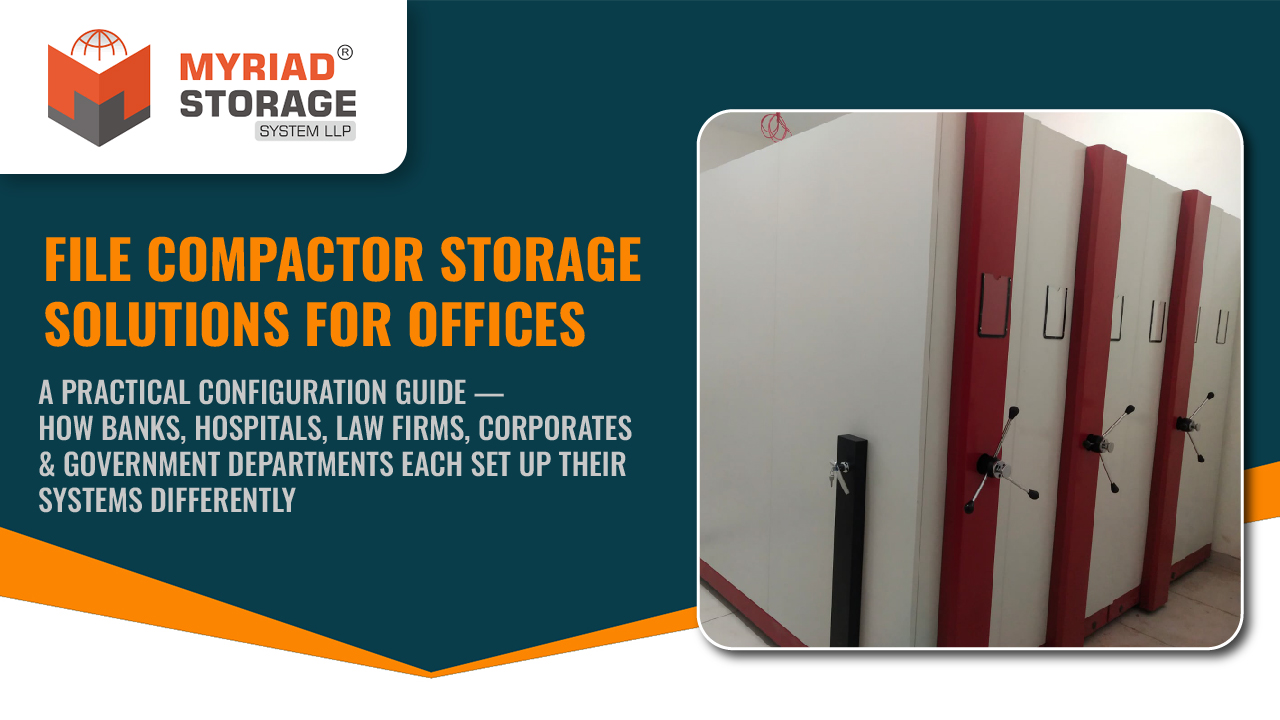
Mechanical handle-operated compactors use a rotating handle mechanism that multiplies the user’s force, making it easy to move heavier, longer units. Best for 7 to 15 bay installations. Ideal for: bank branches, mid-sized hospitals, government department registries with moderate volumes. Smooth operation even when bays are fully loaded.
Motorised compactors use electric motors to move the units at the push of a button. Essential for installations with 15+ bays where manual movement would be impractical. Ideal for: large hospital archives, central government record rooms, collectorate registries, and any installation where staff access files hundreds of times daily. Higher initial cost but significantly reduces physical effort and retrieval time.
The choice often comes down to two factors: number of bays and daily access frequency. A 6-bay HR compactor accessed 10 times a day is perfectly fine with manual push-pull. A 25-bay government registry accessed 50+ times a day needs motorised operation to avoid staff fatigue.
File Compactor Configuration — 5 Office Types Compared
How bay count, shelf height, filing method, locking, and operating type change by industry
No two offices set up their compactor the same way. The right configuration depends on your document types, access frequency, and compliance requirements. A free site survey gives you a custom layout designed for your specific office.
Based on 500+ installations across India by Myriad Storage System LLP
See Myriad's File Compactor Range → · Request a Free Site Survey →
5 - Common Setup Mistakes That Waste Your File Compactor Investment
After 500+ installations across India, these are the five most common mistakes we see — and each one reduces the compactor’s effectiveness by months or years.
1. Uniform shelf heights throughout. Different file types need different heights. Forcing thick box files into shelves configured for thin folders means files cannot stand upright, leading to crumpled spines and difficulty pulling files out. Always configure mixed shelf heights based on the actual documents you store.
2. Skipping floor levelling. Compactors run on precision rails. If the floor is uneven by even 5 to 8 mm, the units become difficult to move and the rails wear unevenly over time. Professional installation includes floor levelling or shimming — never skip this step.
3. No labelling system from day one. An unlabelled compactor becomes a guessing game within weeks. Apply bay numbers, shelf labels, and file range indicators before the first file goes in — not after the compactor is full.
4. Ignoring per-shelf weight limits. Every compactor has a rated load capacity per shelf (typically 60 to 80 kg). Overloading shelves with heavy registers or box files causes shelf deflection over time. Distribute heavy items across bottom shelves where the structure is strongest.
5. No access protocol. If everyone has unrestricted access, files get misfiled constantly. Assign key-holders, define who can access which section, and create a simple file-out register for tracking which files are currently removed from the compactor.
500+ offices across India already use Myriad compactors — Is yours configured right?
Get a Free Site Survey + Custom Layout Drawing
Every office is different. Our team will visit your location, measure your record room, assess your document types, and design a compactor layout configured specifically for your industry.
500+ installations
ISO 9001:2015
ISRO, SBI, Tata, L&T
Myriad Storage System LLP · Manufacturer since 2018 · Factory in Vasai, Mumbai · Pan-India delivery & installation
Frequently Asked Questions
How many bays does a typical office file compactor need?
The number of bays depends on your document volume and office type. A small corporate office or law firm typically needs 4 to 8 bays, a bank branch needs 8 to 12 bays, a hospital MRD needs 14 to 20 bays, and a large government registry may require 20 to 40 bays. A site survey can determine the exact bay count based on your current file volume and projected growth.
What is the best filing method for a file compactor?
The best method depends on your industry. Banks typically sort by account number range, hospitals by MRD number, law firms by court and case number, corporate HR departments alphabetically by employee name, and government offices by the standard file number system (department code, section, year, serial number). The key is choosing a method that allows any staff member to locate a file without needing a separate index register.
Should I choose a manual, mechanical, or motorised file compactor?
Manual push-pull compactors work well for small installations with 6 or fewer bays. Mechanical handle-operated compactors are ideal for 7 to 15 bays and offer smoother operation under heavy loads. Motorised compactors are recommended for 15+ bay installations or offices where files are accessed more than 50 times per day.
How do I prevent files from getting disorganised inside a compactor?
Three steps prevent disorganisation. First, apply bay numbers, shelf labels, and file range indicators before the first file goes in. Second, assign specific key-holders and define access protocols so files are returned to the correct location. Third, use a simple file-out register to track which files are currently removed from the compactor and who has them.
Can different departments share one file compactor with separate access?
Yes. File compactors can be configured with compartment-level locks that give each department independent access to their section. This is common in hospitals where radiology, pathology, and clinical departments need separate access, and in corporate offices where HR and finance share a compactor but need segregated sections.
What floor preparation is needed before installing a file compactor?
The floor must be level within 3 to 5 mm across the installation area. Uneven floors cause difficulty in moving the compactor units and uneven rail wear over time. Professional installation includes floor assessment and shimming or levelling as needed. The floor surface should be hard — concrete, tile, or stone. Wooden or carpeted floors are not recommended.